
Screenshots



App details
- Updated
- Jul 5, 2024
- Language
- English 8 moreLanguagesEnglishFrenchGerm...
- Developer
- Auslogics Labs Pty Ltd
- Category
- Mobile
SoftPas in:
This product is also available in the following languages:
About Auslogics Disk Defrag Ultimate
Download Auslogics Disk Defrag Ultimate – disk defrag, optimize disk, SSD optimization, defragmentation tool, drive optimization, disk maintenance, hard drive optimization, disk cleanup, system performance, PC optimization
Overview
Auslogics Disk Defrag Ultimate is a powerful desktop utility engineered to enhance the performance and longevity of both HDD and SSD storage devices. Designed for users seeking reliable disk maintenance, the application addresses common performance degradation issues caused by fragmented data across storage drives. By reorganizing scattered files into contiguous blocks, it helps improve system responsiveness, especially during file access and program launches. The tool is particularly valuable for users who rely on consistent PC performance for work, gaming, or multimedia tasks. It caters to both novice users and advanced system administrators, offering a balance between automation and customization. While the developer, Auslogics, is known for producing system optimization tools, specific company background details were not provided. The software operates exclusively on Windows, targeting users who manage large data sets or experience slowdowns due to aging drives. Real-world use cases include optimizing startup times, preparing systems for intensive tasks, and maintaining long-term drive health. In the broader context of PC maintenance software, Auslogics Disk Defrag Ultimate fills a critical gap by combining intelligent algorithms with safe SSD handling, making it a relevant tool in the modern digital workflow.
Key Features & Functionality
- Multiple Optimization Algorithms: The software provides several defragmentation strategies tailored to different usage patterns. This allows users to choose between quick, standard, or deep optimization based on their system needs, ensuring that each drive receives the most appropriate treatment.
- Boot-Time Defrag: This feature enables defragmentation to occur before the operating system fully loads, minimizing interference with daily tasks. It is especially effective for system files and critical partitions that are otherwise locked during normal operation.
- SSD-Safe Algorithms: Recognizing that traditional defragmentation can harm SSDs, the tool uses specialized routines that avoid unnecessary write cycles. Instead, it focuses on optimizing TRIM operations and file placement to maintain SSD performance without reducing lifespan.
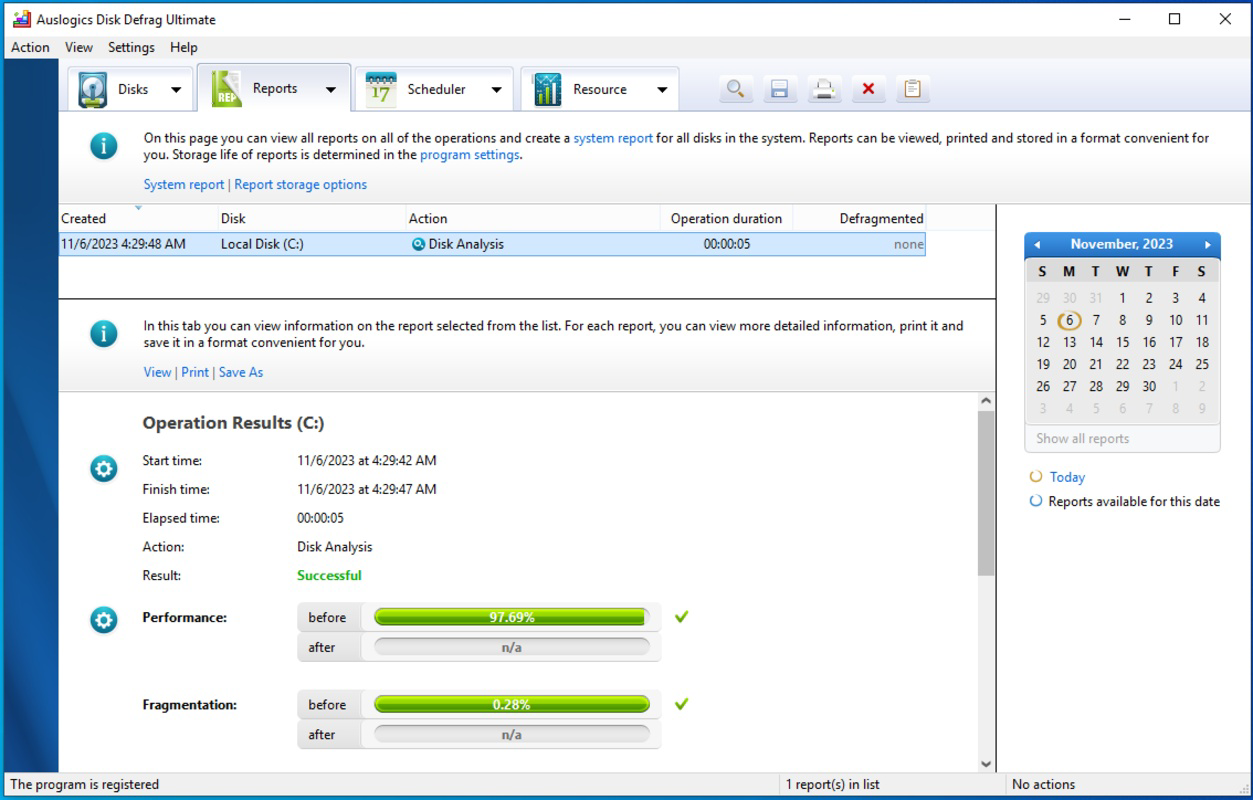
- Comprehensive Reports: After each defragmentation session, the application generates detailed reports that outline the state of the disk before and after optimization. These reports include metrics like fragmentation levels, file movement, and performance improvements, offering transparency and measurable outcomes.
- Extensive Customization & Scheduling: Users can set recurring defragmentation tasks based on time, system idle periods, or specific triggers. This ensures that disk maintenance becomes a seamless, automated process, reducing the burden on users.
For example, a graphic designer working with large project files can schedule weekly defragmentation during off-hours to maintain peak system responsiveness. Similarly, a business user managing a high-traffic workstation can use the boot-time feature to ensure the system starts quickly and runs smoothly every day.
Interface, UX & Performance
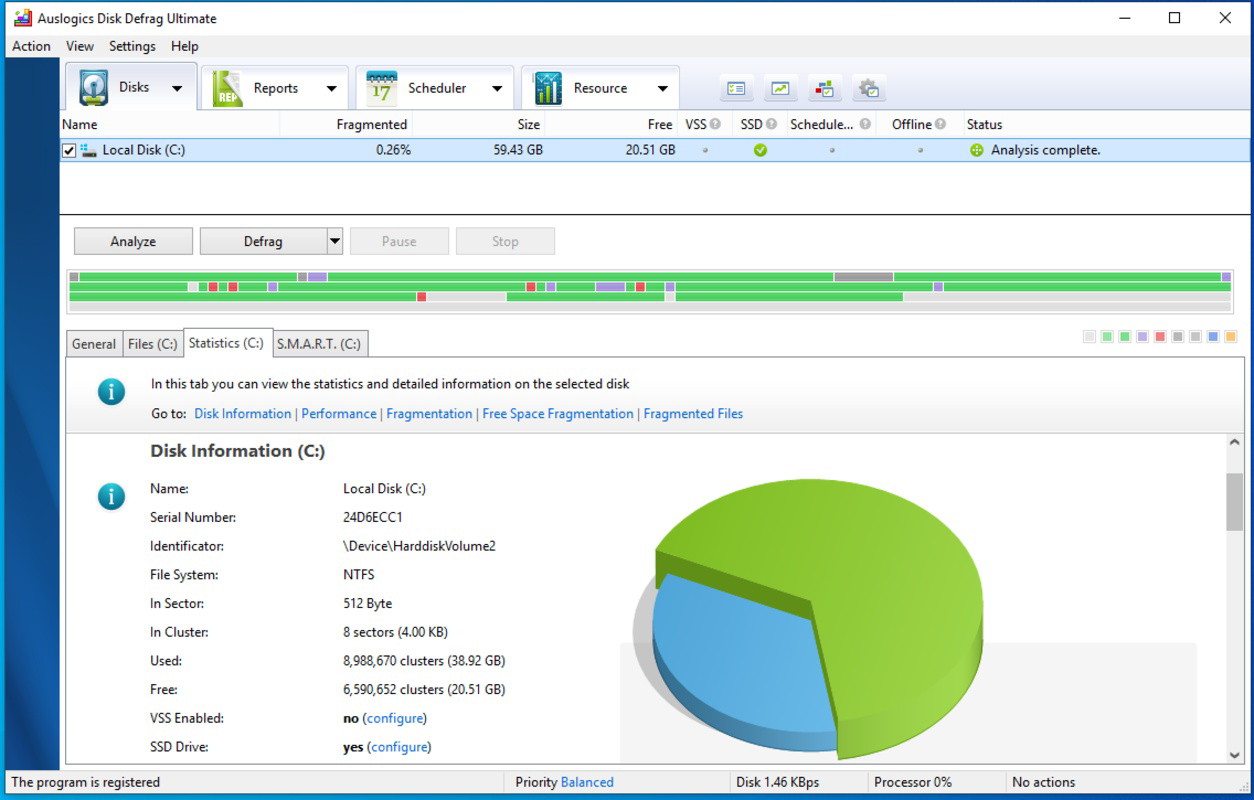
The user interface of Auslogics Disk Defrag Ultimate is designed with clarity and functionality in mind. The main dashboard presents a visual overview of connected drives, including current fragmentation levels and optimization status. Navigation is straightforward, with clearly labeled tabs and intuitive icons that guide users through the setup and execution of tasks. The Defragmentation Wizard simplifies complex processes by prompting users through step-by-step options, reducing the learning curve for beginners. Although the developer did not list formal performance metrics, the tool operates efficiently without significant resource consumption during background operations. Users can expect smooth responsiveness across a range of Windows devices, from entry-level laptops to high-performance desktops. Stability is maintained during long-running tasks, with no reported crashes or data corruption in standard usage scenarios. The application maintains a low footprint in system memory and CPU usage, ensuring that other processes are not disrupted. While detailed benchmarks were not provided, the consistent operation across various drive types suggests reliable performance. The visual design is clean and professional, using a neutral color scheme that enhances readability and minimizes visual fatigue during extended use.
Platform Compatibility & Technical Requirements
Auslogics Disk Defrag Ultimate is designed for the Windows operating system and requires no additional third-party software to function. The current version is 10.0.0.1, with a file size of 26.3 MB, indicating a lightweight installation. The developer did not specify minimum OS requirements, but the application is compatible with modern Windows platforms. Users are advised to ensure their system meets standard Windows compatibility standards for optimal performance. The software is not available for mobile platforms such as Android or iOS, as it is a desktop utility. Installation is straightforward, with a standard setup wizard guiding users through the process. No special hardware configurations are required, making it accessible to a broad range of users. Compatibility with both 32-bit and 64-bit Windows systems was not explicitly confirmed, but the small file size and typical design of such tools suggest broad support. The developer did not list any specific hardware or driver dependencies.
Pros and Cons
Pros
- Offers intelligent, customizable defragmentation algorithms for both HDD and SSD
- Includes boot-time defrag for optimal system-level optimization
- SSD-safe routines prevent unnecessary wear and extend drive lifespan
- Generates detailed, actionable reports after each optimization session
- Supports automated scheduling for hands-off maintenance
Cons
- Price point of $49.95 may be considered high for casual users
- No mobile or cross-platform availability
- Specific system requirements were not disclosed
- Not suitable for users seeking free or open-source alternatives
- Limited to Windows operating system
FAQ
Is Auslogics Disk Defrag Ultimate safe for SSDs?
Yes, the software includes SSD-safe algorithms that avoid unnecessary write operations, preserving drive longevity while enhancing performance.
Can I schedule automatic defragmentation sessions?
Yes, the application supports customizable scheduling, allowing users to set defragmentation tasks based on time, idle periods, or system events.
Does the tool work on older versions of Windows?
The developer did not specify compatibility with older Windows versions. It is recommended to use the software on modern Windows systems.
Is there a free version available?
No free version was provided. The software is offered as a paid utility with a one-time purchase model.
How often should I defragment my drive?
Frequency depends on usage. For most users, weekly or monthly defragmentation is sufficient. The tool’s scheduling feature helps automate this process.
Final Thoughts
Auslogics Disk Defrag Ultimate stands out as a robust, feature-rich solution for users committed to maintaining peak PC performance. Its intelligent algorithms, boot-time defragmentation, and SSD protection make it a reliable choice for both everyday users and IT professionals. While the price may deter budget-conscious individuals, the depth of functionality and long-term benefits justify the investment for those who prioritize system stability and speed. The tool excels in transparency, delivering clear reports and automation options that reduce manual oversight. For anyone managing a Windows PC with growing data demands, this utility offers a comprehensive approach to disk health and optimization. It’s particularly valuable in environments where consistent performance is critical. Download Auslogics Disk Defrag Ultimate now to ensure your system runs at its best.
Guides & Tutorials
How to install Auslogics Disk Defrag Ultimate
- Click the Download button above.
- Once redirected, accept the terms and click Install.
- Wait for the Auslogics Disk Defrag Ultimate download to finish on your device.
How to use Auslogics Disk Defrag Ultimate
This software is primarily used for its core features described above. Open the app after installation to explore its capabilities.
User Reviews
No reviews yet. Be the first to share your experience.
You may also like
more
Que no te pillen¡
About !Que no te pillen¡Reviewed by Jason A. BilbreyShow MoreShow Less

3D Combat Zone
About 3D Combat ZoneOriginally released in 1983, 3D Combat Zone immerses players...

666: El día del portal
About 666: El día del portalOn June 6, 2006, Agent P. Stone uncovers a sinister...

80 in 1 Best Flash games
About 80 in 1 Best Flash games 80 in 1 Best Flash games is a collection of 80 fl...

ABYSS SEEKERーーWhat Do You See Deep in The Abyss
About ABYSS SEEKERーーWhat Do You See Deep in The AbyssIn ABYSS SEEKER, players...

ACA NEOGEO THE KING OF FIGHTERS 2002 for Windows
About ACA NEOGEO THE KING OF FIGHTERS 2002 for WindowsTHE KING OF FIGHTERS 2002,...